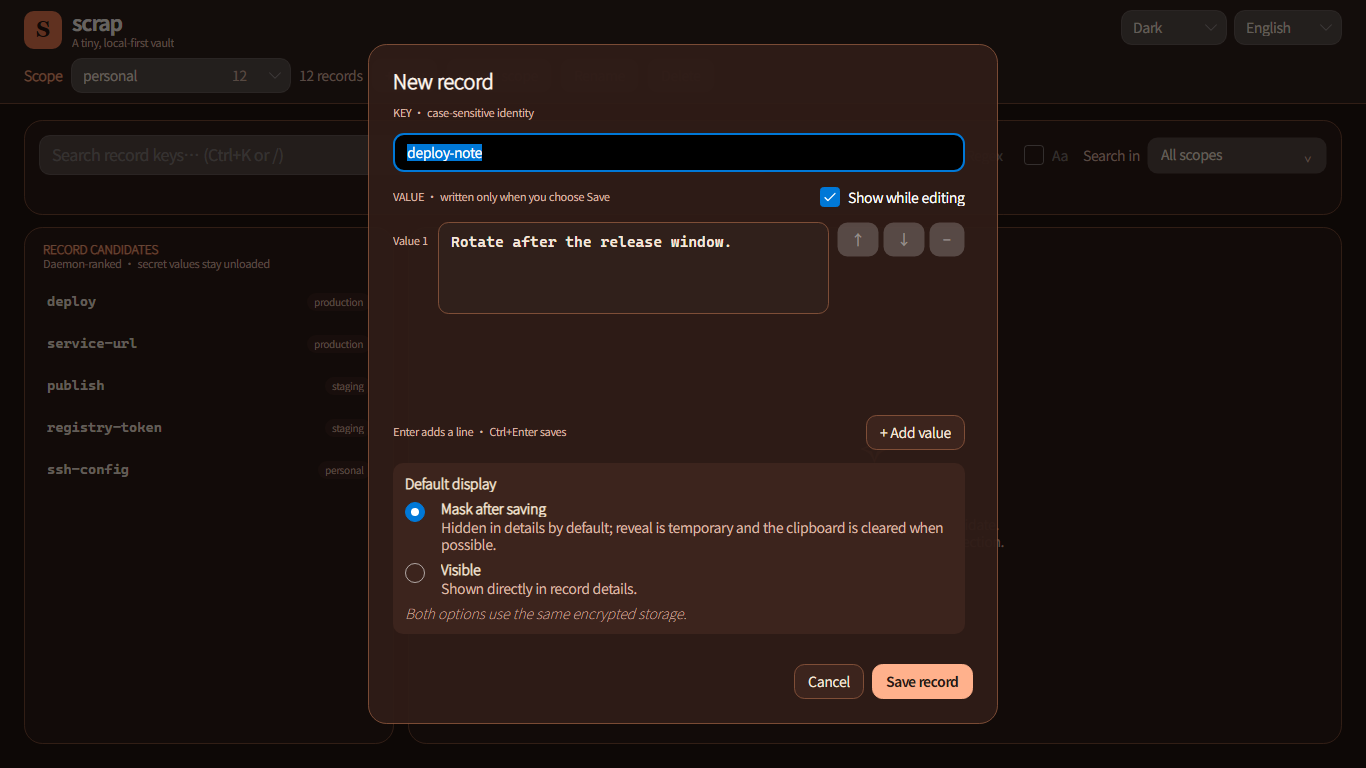
Multiple values, order preserved
Keep a related credential or environment set in one record. Values retain their order when you add, review, and copy them.
 scrap
scrapv0.3.0 · LOCAL-FIRST · GUI + CLI
scrap keeps tokens, passwords, and short text on your computer. Find and copy them in the desktop app, or compose them into scripts with the CLI—encrypted at rest, without a cloud account.
Windows · macOS · Linux
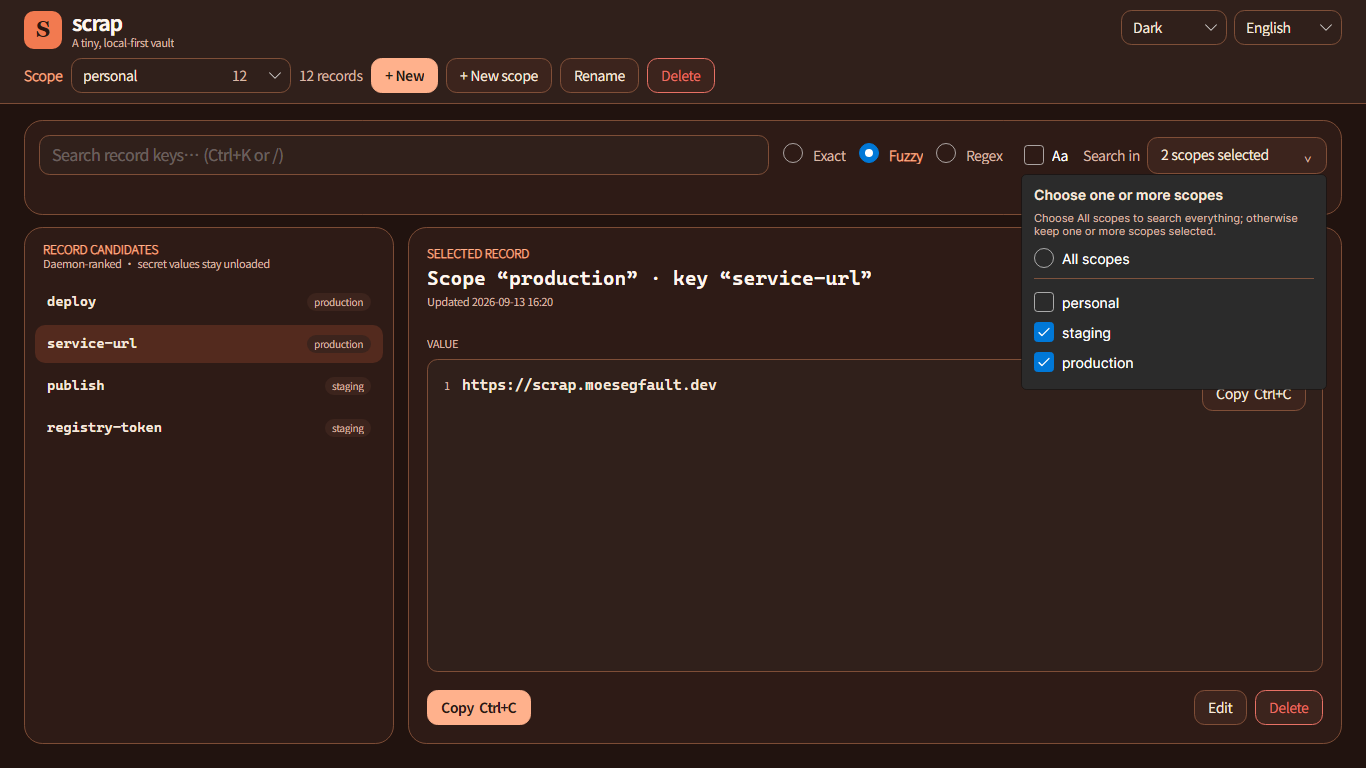
One record can now hold a complete set of values
v0.3.0 makes everyday work more direct: keep multiple ordered values in one record, let each search mode do one clear job, and finish common dialogs from the keyboard.
Keep a related credential or environment set in one record. Values retain their order when you add, review, and copy them.
Exact and regex search show only records that actually match. Switch to fuzzy search when you want nearby discoveries.
Press Enter to confirm the current action and Esc to leave a dialog or step back. After creating a record, keep searching immediately.
Run the MSI to get Scrap shortcuts on both the Desktop and Start menu, with the CLI and daemon installed alongside the app.
A real desktop experience
Showing a value while editing affects only the field in front of you. Its default display after saving is a separate, explicit choice. Both use the same encrypted storage.
Less scattered. More certain.
When a value must be found by a person, read by a script, and never sent to a cloud or repository, scrap gives it one clear home. No accounts. No sync anxiety. No remote service disguised as a local tool.
Search one, several, or every scope. Duplicate keys remain clear because their scope travels with them; values never enter the search index.
Masking controls the default view, not a different kind of encryption. Showing a value while editing never changes how it is saved.
The desktop app is made for finding and copying; the CLI keeps output clean, exits explicit, and pipelines composable.
Data never detours through a web service. The daemon is the sole authority, values are encrypted in SQLite, and the OS protects the master key.
A small system with hard boundaries
Clients express intent. scrapd owns search, transactions, and encryption, so the GUI and scripts observe the same domain semantics. Internals can evolve; external contracts stay stable.
Neither GUI nor CLI opens the database or holds the master key.
No permanent system service. A client wakes it; an idle daemon leaves quietly.
Open source, versioned protocol, deterministic errors, and release checksums.
Ready to gather the values that matter?
The Windows MSI installs the desktop app, CLI, and daemon together; macOS and Linux ship as self-contained archives. Every upgrade preserves existing data.
GitHub Releases provides every download with release notes and SHA-256 checksums. On Windows, choose the MSI for a standard install.